Content creation is physical work disguised as screen time. A three-hour recording session strains your voice the way a three-hour lecture would strain a teacher's. A six-hour edit loads your neck, shoulders, and wrists the way a full shift at a keyboard would load an office worker's — except nobody set up your desk for you, nobody gave you breaks, and no one told you that the tingling in your fingers at 11pm is a warning. The injuries creators get are not dramatic. They're cumulative, boring, and entirely preventable, and they show up six months in, not six days in. Here's what actually breaks, in what order, and how to set up your body, your space, and your week so it doesn't.
TL;DR: Creator work loads four systems repeatedly — your voice, your neck and lower back, your eyes, and your hands and wrists. Voice problems come from talking too long without breath support and from shouting into badly placed mics; back and neck problems come from editing with a laptop on a table and no external monitor; eye strain comes from sustained near-focus with no distance breaks; wrist and hand pain comes from mouse work, not keyboard work. The fixes are unglamorous and cheap: a mic close enough that you never raise your voice, an external monitor at eye level with the laptop raised or on a stand, the 20-20-20 rule for eyes, a 5-minute break every 45–50 minutes of editing, and an ergonomic mouse or trackpad swap. Batch filming so you're not recording five days a week, and treat a two-week persistent voice change or numbness as a medical issue, not a content issue.
Why creator injuries are invisible until they're not
Occupational health has a name for this pattern: repetitive strain. The tissue doesn't fail from one big event, it fails from thousands of small ones. Two things make creator work particularly good at producing it:
- The work is invisible to everyone, including you. Nobody sees you editing. There's no supervisor noticing you haven't stood up in four hours, and no shift change forcing you to stop at 5pm. Your only feedback loop is discomfort, and discomfort at hour three feels exactly like discomfort at hour three hundred — right up until it doesn't.
- The load is unusually diverse. You are simultaneously a speaker, a keyboard worker, a camera operator, and a pack mule. Few jobs stack all four.
| Load | What it hits first | Early warning sign | Main fix |
|---|---|---|---|
| Talking for hours on camera | Vocal folds, neck muscles | Hoarseness or a tired voice at the end of a session | Breath support, hydration, mic technique, session limits |
| Editing with a laptop on a table | Neck, upper back, shoulders | Stiff neck, headaches behind the eyes at the end of an edit | External monitor at eye level, external keyboard and mouse |
| Sustained near-focus on one screen | Eyes | Dryness, blurred distance vision, headaches | 20-20-20 breaks, brightness matching, monitor distance |
| Mouse-intensive work | Wrist, forearm, thumb base | Tingling fingers, ache on the thumb side of the wrist | Ergonomic mouse or trackpad swap, breaks, grip changes |
| Filming and gear handling | Lower back, knees | Aching after a shoot day, not after editing | Tripod over handheld, lighter rig, movement between setups |
| Always-on audience contact | Nervous system, sleep | Waking up already tired, dread before posting | Boundaries, a real off-day, notification windows |
Your setup: the cheapest fix you've been postponing
Before you buy anything, fix three things about your desk. Almost every creator injury below starts here.
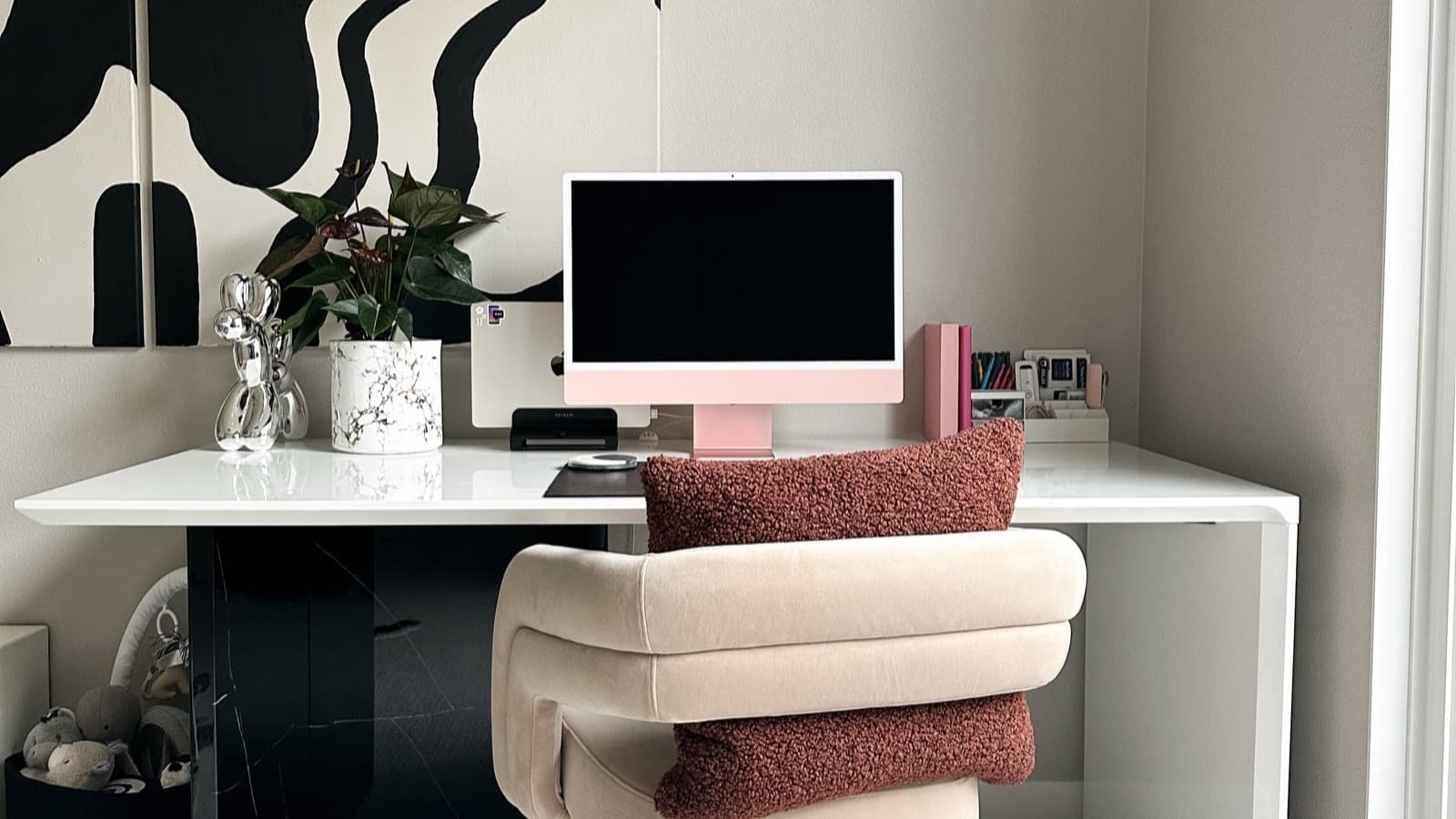
- Screen height. The top third of your monitor should be at eye level. If you edit on a laptop sitting on a desk, you're looking down for hours — that's the entire cause of most creator neck and shoulder pain. Raise the laptop on a stack of books or a stand, then add an external keyboard and mouse so your hands come down to desk height. This single change resolves more complaints than everything else on this list combined.
- Screen distance. Aim for roughly an arm's length, about 50–70cm. Closer means more eye strain and more hunching.
- Chair height and support. Feet flat, knees roughly at hip height, lower back supported. If your chair has no lumbar support, a rolled towel behind your lower back costs nothing and works.
Your voice: the instrument you can't replace
Your voice is your only irreplaceable creative asset. Cameras get replaced; vocal folds don't.
What actually causes vocal strain in creators:
- Talking over playback or background noise. If you record with audio bleeding through your headphones, you unconsciously raise your volume. Turn monitoring down or mute it while speaking.
- Talking from the throat instead of from supported breath. Voice professionals describe it as using your neck muscles to help produce sound — you feel it as a tired, thick voice after a long recording. Breath support, not throat effort, is what carries volume.
- Pushing extremes. Whispering loudly and shouting both stress the voice. So does the "content voice" — the higher-energy, slightly shouting register many creators use for the entire duration of a video. Use it for the hook and then come back to your natural speaking voice.
- Recording for three hours straight with no water. Hydration affects the mucosal tissue that lets your folds vibrate efficiently. Keep water in arm's reach and drink between takes, not just when your throat hurts.
The mic technique fix: if your microphone is far enough away that you have to project, it's too far. Bring it closer and lower the gain. A mic at 15–20cm with a properly set gain means you speak at conversational volume — which is the volume your voice is designed to sustain all day. Pop filter or a foam cover on the mic helps you avoid plosive-heavy shouting into the capsule.
Warm up before big sessions. Two minutes of gentle humming and lip trills (say "brrrr" at a comfortable pitch and glide up and down) wakes up the folds without loading them.
Session limits. 60–90 minutes of continuous talking, then a 10-minute quiet break. "Quiet" means no phone calls, no talking to your family, no recording a voiceover for the edit. Caffeine and alcohol both dry you out — not a reason to skip your coffee, but drink water alongside it.
When to see someone: if your voice is hoarse, raspy, or feels strained for more than two weeks, or if it changes pitch or fatigues faster than it used to, see an ENT or a laryngologist. Persistent hoarseness is a medical symptom, and a speech-language pathologist can usually fix it with a few weeks of targeted work.
Your back and neck: beating the editing hunch
The editing hunch is the single most common creator complaint, and it's mechanical. When you look down for hours, the muscles at the base of your skull and across your upper back hold your head forward continuously. Headaches, jaw tension, and a stiff neck at the end of the day are the result.
Beyond screen height, the things that help most:
- Stand up every 45–50 minutes, even for 60 seconds. The moment of movement resets the tissue load. Five minutes per hour of editing is not lost time; it's the difference between editing in five years and needing a physiotherapist to edit in five years.
- Split filming from editing days. A day where you film in the morning and edit in the afternoon loads different systems sequentially rather than stacking the same posture for nine hours.
- Do a 60-second reset at each break: chin tucks (pull your chin straight back, hold 3 seconds, repeat 5 times), shoulder rolls, and a doorway chest stretch (forearms on the frame, step through, hold 20 seconds). This counteracts the forward posture directly.
- Treat gear weight seriously. A heavy camera on a handheld rig for a two-hour shoot is a shoulder injury with a delivery date. Use a tripod or gimbal and save your body for the part that needs you.
- If you stream, move the setup. Standing desk risers are cheap now. Alternate sitting and standing across the stream rather than sitting for six hours.
Your eyes: the 20-20-20 rule and what's actually happening
Eye strain from screens isn't damage — it's fatigue from holding a fixed near-focus for hours. Your ciliary muscle contracts continuously to keep near objects sharp, and it doesn't get to relax. Blink rate also drops by more than half during focused screen work, which is why your eyes feel gritty by evening.
What works:
- 20-20-20. Every 20 minutes, look at something at least 20 feet away for 20 seconds. Do it during your editing breaks so it's chained to an existing habit rather than a separate reminder.
- Match screen brightness to your room. A screen far brighter than the surrounding room means constant pupil adjustment. Reduce brightness in the evening, and don't work in a dark room against a blazing monitor.
- Blink deliberately during long edits. A sticky note on the monitor edge is a legitimate intervention.
- Use dark mode and larger text. Both reduce the accommodative effort per hour.
- Get an eye exam if distance vision stays blurry after a break. That's a sign your eyes need correction you don't currently have — very common for creators who started spending 30 more hours a week on screens than they used to.
Your hands and wrists: RSI is a mouse problem, not a typing problem
Most creator wrist pain is a pointing-device problem. Keyboard shortcuts spread load across both hands; the mouse doesn't. Hours of small, repetitive movements in one position with a rotational grip strain the forearm tendons and the thumb-side wrist.
Practical fixes, in order of effort:
- Learn your shortcuts. Every task you move from mouse to keyboard removes hundreds of repetitive movements per editing session. This is the highest-value RSI prevention there is, and it makes you faster at the same time.
- Change your input device, not just the position. A vertical mouse, a trackball, a trackpad, or a pen tablet each change which muscles do the work. Rotating between two devices across a week spreads the load.
- Drop your wrist. Keep it neutral, not bent up or down, with your forearm roughly level with the desk or slightly angled. A wrist rest is for resting between movements, not for typing on.
- Take microbreaks during long sessions. 30 seconds of stretching your fingers open, spreading them wide, and rotating your wrists every hour. Set it as a recurring reminder and actually obey it.
- Watch the phone grip too. Scrolling in the same thumb position for 90 minutes a day is its own repetitive load and is a common cause of thumb base pain in creators.
Red flags worth a doctor's visit: tingling or numbness in your fingers, especially at night; pain that wakes you; weakness in your grip. Those are nerve signs, and earlier intervention means a much easier recovery.
The sustainable filming day
The most effective health intervention isn't a product. It's batching, so your body gets recovery days.
| Time | Block | Body rule |
|---|---|---|
| 09:00 | Setup and lighting | Stand, test, adjust — don't sit through it |
| 09:15 | Filming block 1 | Water within reach, mic close, natural voice |
| 10:30 | Quiet break | No talking, stand, chin tucks, 10 minutes |
| 10:45 | Filming block 2 | Deliberate breath support, no shouting takes |
| 12:00 | Lunch away from the screen | Actually away — not at the desk |
| 13:00 | Filming block 3 | Cap at 90 minutes, then stop filming for the day |
| 15:00 | Move to editing on a separate day if possible | If not, external monitor, 45/5 rule |
| 18:30 | Hard stop | The channel survives one unfinished edit |
Two consecutive calm days recover a voice. Two consecutive calm days do not recover a tendon injury. That asymmetry is why voice days can be long and editing days must be broken up.
Sleep, food, and the actual energy math
You can't out-stretch a sleep debt. Creators run on irregular schedules, but three things show up in almost every creator injury story:
- Screen time within an hour of bed. Delays sleep onset, which reduces the physical recovery that repairs tendon and muscle micro-damage.
- Skipping meals during filming blocks. Low blood sugar shows up as shaky camera work and worse judgement on when to stop.
- Caffeine after 2pm. A 5-hour half-life means your 4pm coffee is still half in your system at 9pm.
What to put on the wall
Print this. It's the whole article in eight lines:
- Monitor top third at eye level; external keyboard and mouse.
- Mic close, gain down, speak at conversational volume.
- Water every 20 minutes while recording; quiet break every 90.
- 20-20-20 for eyes, at every break.
- Stand 60 seconds every 45–50 minutes of editing.
- Learn keyboard shortcuts; rotate two input devices.
- Batch filming to at most two or three days a week.
- Two weeks of voice change or finger numbness = doctor, not "I'll rest it."
One more structural habit helps more than people expect: cut the number of places you do work from. When your entire workflow — video links, product links, sponsor links, contact — lives on one branded page instead of six apps and three logins, your sessions get shorter, your app-switching drops, and there's less late-night phone time chasing a link you forgot to update. Keeping a single link page for everything, like a Biolinky page, is a health habit wearing a marketing outfit: fewer screens, less time in the same hunched position, one place to update instead of five.
Your body is the production company. Treat the shoot days, edit days, and recovery days as scheduling constraints you design around — because the alternative is finding out in month fourteen, with a project half-finished and a wrist that says no.